How to install HP’s Unified Functional Testing 11.50

In this post we are going to take a look at how to install HP’s Unified Functional Testing (UFT 11.50). Hopefully with this info you will be able to have a smooth install of UFT.
Where to get Unified Functional Testing 11.50
UFT 11.5 can be installed from either:
HP’s UFT site
HP’s Downloads’>Software Updates site.
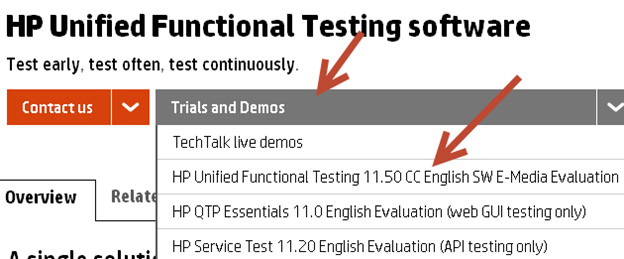
From the HP UFT Site you can grab an eval copy of UFT:
From the HP’s Download>Software updates site you can get HP Unified Functional Test 11.5 under the Application Lifecycle Management Center section:
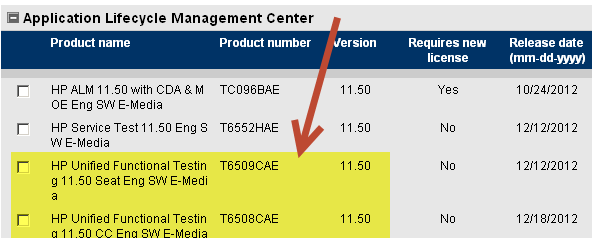
FYI: The file size is 2.64 GB
Things to know before you install UFT 11.5
- If you are upgrading from either QTP 9.5 and up or Service Test 10.00 and up, the install will automatically uninstall any older version of QTP of ST and replace with UFT. If you have older versions of either produce you must manually uninstall them before installing Unified Function Testing.
- You need to have admin privileges on the machine you are installing on
- You need to have a supported version of IE installed. Not sure check out my post on UFT Support Matrix
- Make sure you have all your license info
- During the install you are giving an option to install UFT Feature of the Service Test run-time only, make sure you do not select HP Service Test Run Time. The HP Service Test Run time should only be installed when you want to have ST on a machine where ST test can run and do not need to be edited
- If you plan on using UFT 11.50 with ALM 11.50 your ALM administrator has to install the ALM Integration Enablement Pack on the server for the two to work together.
- UFT supports the Sentinel RMS License Manager version 8.4.0 as its concurrent license server. Earlier versions of the concurrent license server are not supported.
- To work with .NET 4.0, .NET 4.0 must be installed before you install UFT
- If you previously had QuickTest 11.00 installed on your computer and you had installed one of the patches or hotfixes that added support for working with the Google Chrome browser (QPTWEB00088 or another Chrome-related patch or hotfix), then you must delete your user profile in the Chrome browser before you can use UFT to test applications in Chrome.
UFT Install Time
Once you are ready to install UFT 11.50 begin the following steps:
-
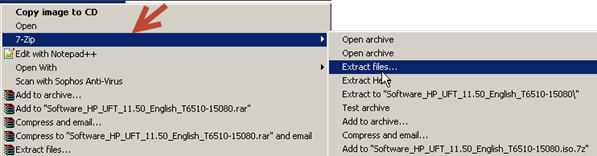
Locate your UFT.5 install. If the install is an .ISO file you can use a tool like Virtual CloneDrive to view the files and run from. You could also7-zip to right-click on the .iso file to extract all the files for you.
-
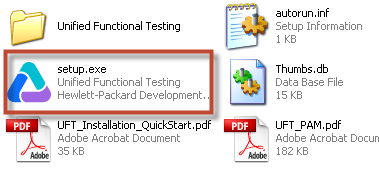
Dbl click on setup.exe
-
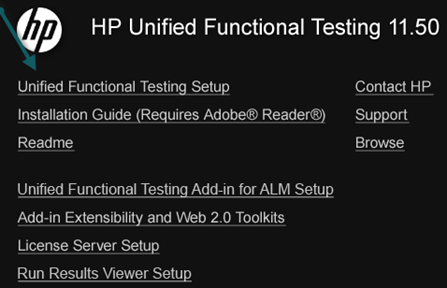
At the main install splash screen select the Unified Functional Testing Setup
If you receive a message “The current installation will uninstall the following product(s) from your machine… Do you want to continue with the installation?” Click Yes
-
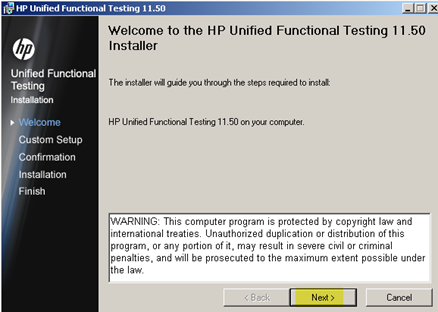
On the Welcome screen click the Next> button
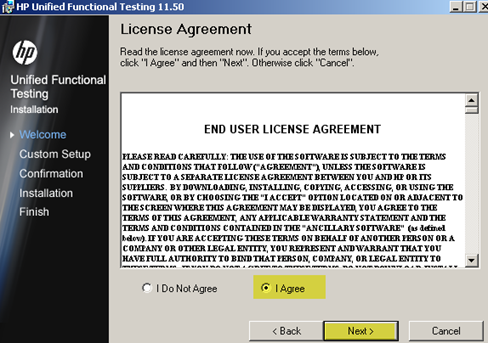
- On the License Agreement screen click “I agree”. Click Next>
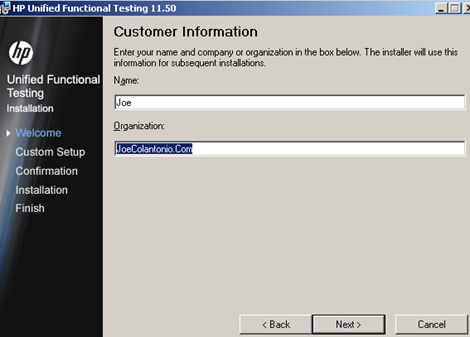
- Fill-in your Name and Organization on the Customer Information screen. Click Next>
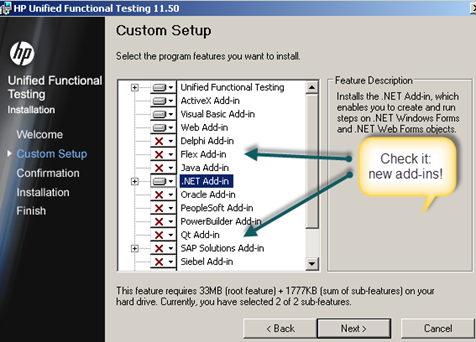
- Select your add-ins from the Custom Setup dialog
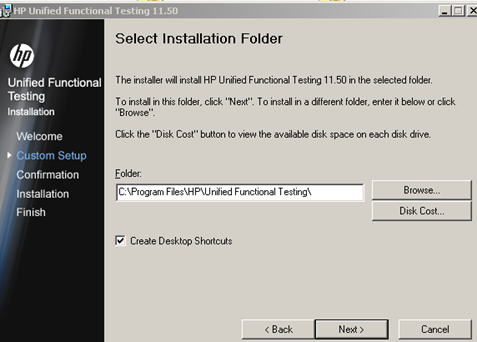
- Choose where you want to install to. Click Next
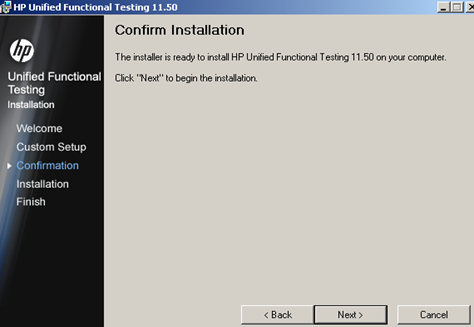
- Click Next> on the Confirm Installation
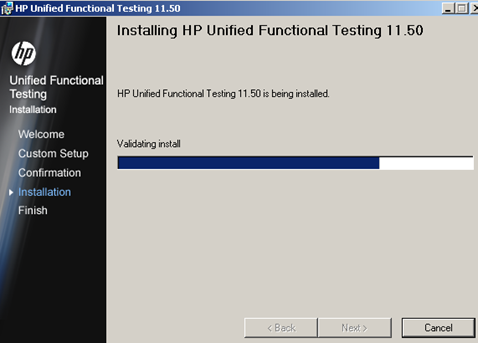
- UFT 11.5 will being to install (this may take a few minutes to complete)
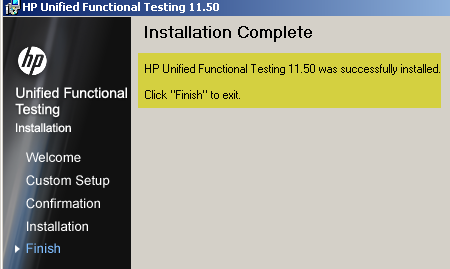
- You should get the message “successfully installed” message when the install completes
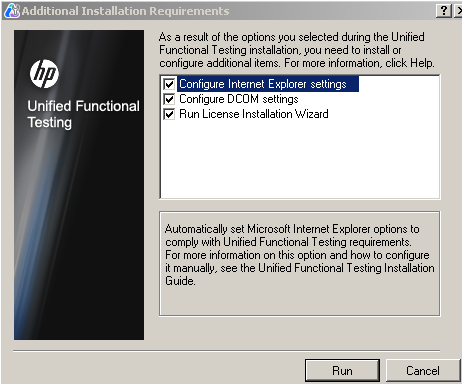
- Click run on the ‘Additional Installation Requirements” dialog
-
Select your license type:
- Seat – a seat license is specific to your computer. On a machine that has never had UFT installed on before you get a 30-days demo period. During the demo period you need to contact HP to get a permanent seat license by providing your machines Locking code:
- Concurrent: If you have a UFT licensing server setup choose this option and enter your licensing servers ip or name
- Seat – a seat license is specific to your computer. On a machine that has never had UFT installed on before you get a 30-days demo period. During the demo period you need to contact HP to get a permanent seat license by providing your machines Locking code:
-
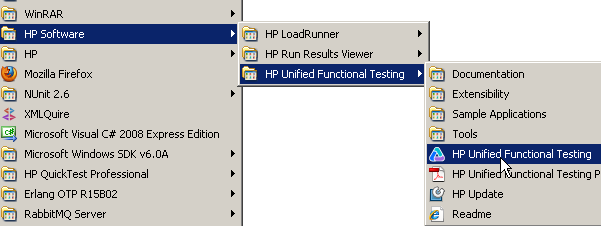
You should reboot your machine after the install. After you reboot you should now have in your Start>Programs an HP Unified Functional Testing menu option
More UFT 11.50 Post
Sweet – I’ll be posting more on the new features of UFT 11.50 so be sure to check back at joecolantonio.com!
- On the License Agreement screen click “I agree”. Click Next>

Joe Colantonio is the founder of TestGuild, an industry-leading platform for automation testing and software testing tools. With over 25 years of hands-on experience, he has worked with top enterprise companies, helped develop early test automation tools and frameworks, and runs the largest online automation testing conference, Automation Guild.
Joe is also the author of Automation Awesomeness: 260 Actionable Affirmations To Improve Your QA & Automation Testing Skills and the host of the TestGuild podcast, which he has released weekly since 2014, making it the longest-running podcast dedicated to automation testing. Over the years, he has interviewed top thought leaders in DevOps, AI-driven test automation, and software quality, shaping the conversation in the industry.
With a reach of over 400,000 across his YouTube channel, LinkedIn, email list, and other social channels, Joe’s insights impact thousands of testers and engineers worldwide.
He has worked with some of the top companies in software testing and automation, including Tricentis, Keysight, Applitools, and BrowserStack, as sponsors and partners, helping them connect with the right audience in the automation testing space.
Follow him on LinkedIn or check out more at TestGuild.com.
Related Posts

What is an SDET? An SDET (Software Development Engineer in Test) is a software engineer whose main job is building […]

Short answer: Grok Bot found a real bug, and it stopped about two inches below the surface. I pointed a […]

A Director of Sales hit me with “AI-DLC” last week like I should already know it. I nodded. Then I […]

Your developers are shipping more code than they were a year ago. Probably a lot more. And your test coverage […]