

I want to share an update on one of my favorite exploratory testing tools that just keeps getting better. I originally wrote about this in 2015 but a lot have changed since then.,
If you haven't tried Bug Magnet yet, you're missing out on a simple way to save yourself a ton of time during testing sessions.
And here's the big news, there's now an AI-powered version that works with Claude Code and Cursor. More on that in a minute.
Quick Reminder: What is Bug Magnet?
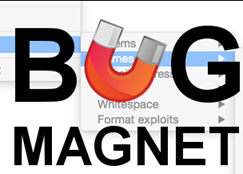
Bug Magnet is a free Chrome and Firefox extension that gives you instant access to hundreds of problematic test values through a right-click menu.
Once you have the extension installed, you can right-click on any field in your browser and choose from common edge cases and problematic values that are known to cause issues:
- Problematic names like O'Grady, NULL, and names with special characters
- Valid and invalid email addresses (missing @, double @@, etc.)
- Boundary numbers (0, -1, MAX_INT)
- Unicode exploits and right-to-left overrides
- SQL injection and XSS test strings
- Lorem ipsum in multiple languages
- Payment card test numbers for Stripe, PayPal, and other processors
- Whitespace variations (tabs, newlines, spaces)
This is awesome because it saves you a bunch of time and reminds you of common data input issues that are sure to find bugs in your application.
The extension is completely passive – tiny overhead (<1KB), no interference with your app, and works on input fields, text areas, and content-editable DIVs.
What's New in 2025
Bug Magnet just updated to version 4.0 on November 7, 2025. The tool now has over 20,000 active users and continues to work great with the latest Chrome and Firefox versions.
The core functionality that made it popular is still there – it just keeps working reliably across modern browsers and web components.
The Big News: BugMagnet AI Assistant
Here's what got me excited enough to update this post.
Gojko Adzic (the creator of BugMagnet) just released BugMagnet AI Assistant – and this is HUGE for anyone using Claude Code or Cursor for development.
What Does It Do?
Instead of just giving you edge cases through a browser extension, the AI Assistant analyzes your actual code files and generates comprehensive test coverage automatically.
It applies the same testing heuristics and edge case knowledge from the browser extension, but does it intelligently based on your code context.
Here's what it handles:
- Generates comprehensive test cases for your code
- Identifies gaps in your test coverage
- Applies testing heuristics from Elisabeth Hendrickson's Test Heuristics Cheat Sheet and the Humans vs Computers book
- Analyzes undocumented behavior and state transitions
- Creates characterization tests (great for legacy code refactoring)
- Detects potential bugs using common coding mistake patterns
How It Works
If you're using Claude Code, it's dead simple:
/bugmagnet src/auth/cognito-auth-session.js
The AI analyzes your code and generates test cases using the same edge case library you know from the browser extension.
It works with any programming language and testing framework, and it even reads your project's CONTRIBUTING.md or README.md files for custom guidelines.
Why This Matters for Automation Engineers
This is perfect for:
- Legacy code – Generate characterization tests before you start refactoring
- Coverage audits – Find the gaps in your existing tests
- Security testing – Automatically apply vulnerability patterns
- Exploratory testing at scale – Let AI suggest scenarios you might miss
Check it out: BugMagnet AI Assistant on GitHub
How to Install
Installing Bug Magnet takes about 30 seconds:
Chrome:
- Go to the Chrome Web Store
- Click “Add to Chrome”
- Confirm
- Done – no page reload needed
Firefox:
- Go to Firefox Add-ons
- Click “Add to Firefox”
- Confirm
- You're good to go
How to Use It
Super simple:
- Go to any website with input fields
- Right-click on a field
- Select Bug Magnet from the menu
- Pick your test data category
- The value gets inserted automatically
Let's look at what's in the menu.
Menu Options
Here's what Bug Magnet gives you:
Lorems – Filler text in Latin, Cyrillic, Arabic, Chinese, and mixed character sets
Text Size – Strings of specific lengths to test field validation and display limits
Names – Tricky real-world names:
- O'Grady (apostrophes)
- 田中太郎 (Japanese)
- José García (accents)
- NULL (reserved word)
- Robert'); DROP TABLE Students;– (SQL injection)
Email Addresses – Valid and invalid formats like missing @, double @@, crazy long addresses, Unicode domains
Numbers – Boundary values: zero, negatives, really large numbers, decimals, scientific notation
Whitespace – The stuff people forget: tabs, newlines, leading/trailing spaces, multiple spaces
Format Exploits – Security testing: SQL injection, JavaScript injection, HTML parsing, Unicode tricks, case folding
Payment Cards – Test card numbers for Stripe, PayPal, and other payment processors
Cool Features You Should Know About
Three Ways to Insert Values
Bug Magnet gives you three operational modes:
Inject Value – Default mode. Sets the value directly using JavaScript (fastest)
Simulate Paste – Simulates clipboard paste to trigger event handlers (useful for custom components)
Copy to Clipboard – Just copies the value so you can paste it yourself (great for thick client apps or non-browser tools)
Customize It
You can add your own test data:
- Load from a URL (perfect for team configurations)
- Paste JSON directly
- Load from a local file
- Hide the standard menus if you only want custom data
This makes it easy to maintain project-specific test data or deploy the same configuration across your team.
Why I Still Use This Tool
Saves Time
Instead of typing the same edge cases over and over, you get instant access to hundreds of them. What used to take minutes now takes seconds.
Works as a Checklist
Even experienced testers forget certain scenarios. Bug Magnet reminds you of problematic inputs that cause real bugs.
Works Everywhere
Modern web apps, legacy systems, mobile-responsive sites, internal tools – if it has an input field, Bug Magnet works.
Zero Interference
No performance hit, doesn't mess with your app's execution or debugging.
How to Use Bug Magnet in 2025
API Testing
Use Copy to Clipboard mode to grab edge cases and paste them into Postman, REST clients, or GraphQL playgrounds.
With AI Coding Assistants
Combine the browser extension with BugMagnet AI Assistant:
- Use the extension for manual exploratory testing
- Use the AI Assistant for automated test generation
- Same edge case library in both places
Security Testing
The format exploits give you a quick first-pass security check – SQL injection, XSS vectors, HTML injection, Unicode exploits. Not a replacement for dedicated security tools, but great for exploratory sessions.
Modern Test Frameworks
Copy edge cases to use as test data in Cypress, Playwright, Selenium, or TestCafe. Keeps your manual and automated testing consistent.
Quick Tips
Create custom configs – Every app has unique edge cases. Build JSON files with your domain-specific test data.
Train new testers – Bug Magnet's menu is a great teaching tool for common validation issues and security concerns.
Use with DevTools – Insert a value with Bug Magnet, then watch the Network tab, Console, and element behavior in real-time.
Document findings – When Bug Magnet helps you find a bug, note which edge case exposed it. Builds knowledge about your app's weak points.
Bug Magnet vs Other Tools
Other tools like Fake Filler generate random data (good for volume testing). Bug Magnet's strength is its curated collection of known problematic values that actually find bugs.
The new AI Assistant adds intelligent test generation on top of the classic edge case library.
Bottom Line
The combination of Bug Magnet's browser extension with the new AI Assistant is where testing is headed in 2025:
- Speed – Right-click access to test values
- Intelligence – AI analyzing your code for gaps
- Consistency – Same edge cases across manual and automated testing
- Scale – AI applies heuristics across entire codebases
For automation engineers and software testers, Bug Magnet should be in your toolkit.
Resources
- Bug Magnet Website: bugmagnet.org
- Chrome Extension: Chrome Web Store
- Firefox Add-on: Firefox Add-ons
- GitHub Repository: github.com/gojko/bugmagnet
- BugMagnet AI Assistant: github.com/gojko/bugmagnet-ai-assistant
- Customization Guide: bugmagnet.org/customising.html
- Version 3.0 Features: bugmagnet.org/v3.html
Common Questions
Does it work on authenticated pages? Yes, works anywhere you can browse.
Can I use it for mobile testing? Use “Copy to Clipboard” mode to grab values and paste on your mobile device.
Is my data safe? Everything runs locally in your browser. No data sent anywhere.
Does the AI Assistant cost money? It works with Claude Code and Cursor – check their pricing.
Can I add my own edge cases? Absolutely. Custom configs via JSON or contribute to the GitHub repo.
Looking for more testing tools? Check out TestGuild's Tool Matcher to find tools that fit your specific needs.
Want weekly testing news? Subscribe to TestGuild News Show for updates on testing tools, AI in testing, and automation.





Awesome post Joe. Love this tool. So helpful. Thanks for this find!!
A “NETWORK_FAILED” error has occurred while checking after click on the “Add” button and on the other way my internet/network working fine. So, please, suggest me the way to overcome regarding this problem. I will be very grateful to you. Thanks & Regards.