

57: Adam Bertram: Powershell Toolmaking – Don’t be a Click Next Admin
 June 21, 2015
  Hosted by Joe Colantonio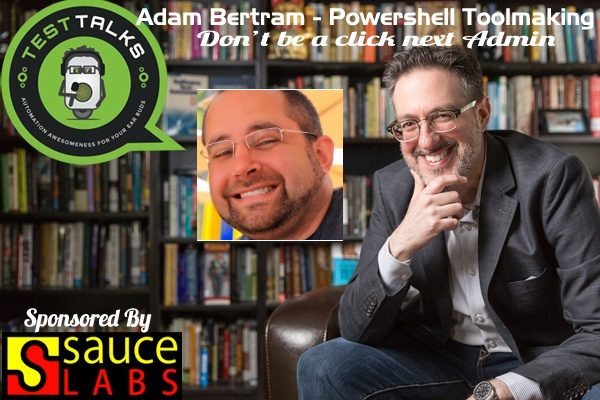
About this episode
PowerShell Toolmaking Fundamentals
How often have you found yourself doing a long, manual, repetitive administrator task on a Windows box and thinking that there has to be a better way? Well, you’re right — and PowerShell may be exactly what you’re looking for.
Don’t be a “click next” admin! Listen to Adam Bertram, author of the Pluralsight PowerShell Toolmaking Fundamentals course, as he shares a bunch of tips on using PowerShell to automate the drudgery of some Windows-based tasks.
About Adam

Adam Bertram is an independent consultant and owner of Adam the Automator, LLC. Adam specializes in consulting and evangelizing all things IT automation mainly focused around DevOps philosophies. Adam is a Microsoft Windows PowerShell MVP, 2015 powershell.org PowerShell hero and has numerous Microsoft IT pro certifications.
He is a writer, trainer and presenter and authors IT pro course content for Pluralsight. He is also a regular contributor to numerous print and online publications and presents at various user groups and conferences. You can find Adam at adamtheautomator.com or on Twitter at @adbertram.
Quotes & Insights from this Test Talk
- Windows PowerShell is a way to not only automate, but also to manage Windows' various Microsoft products, so Windows SQL Server, Active Directory … Pretty much everything from the command line, and also as a sort of scripting glue, I guess you could say, to automate entire infrastructures.
- PowerShell is a Microsoft product, so I'll have to say that, pretty much anytime you want to use the command line or automate anything inside of the Windows ecosystem or pretty much any Microsoft product, you want to go with PowerShell.
- The very first reason to get into PowerShell, how to get into PowerShell, is first, realize that you need PowerShell.
- PowerShell can be used for even full-fledged software development. I've seen some tools out there that use PowerShell to actually build actual software
- A lot of people in PowerShell are doing wrong because they may have come from batch files or VBScript or some other language and they tend to write code like the other language.
- Much, much more!
Resources
- PowerShell Toolmaking Fundamentals – Pluralsight Course
- Client-Side PowerShell Scripting for Reliable SCCM –CourseDeployments
- Planning & Creating Applications in System Center ConfigMgr 2012 – Pluralsight Course
- If your going to signup for Pluralsight (which I highly recommend) why not us my affilate link and increase your Karma!
Connect with Adam
- Twitter:@adbertram
- Blog:adamtheautomator.com
May I Ask You For a Favor?
Thanks again for listening to the show. If it has helped you in any way, shape or form, please share it using the social media buttons you see on the page.
Additionally, reviews for the podcast on iTunes are extremely helpful and greatly appreciated! They do matter in the rankings of the show and I read each and every one of them.
Special offer for TestTalks listeners, get 20 hours of automated testing for free when you sign-up with promo code testtalks14 (more info).
Keep listening
Related episodes
Automation Testing Podcast · Ep. 609
Why Your AI Tests Pass When Your Features Fail with Donovan Brady
with Donovan Brady
Why Your AI Tests Pass When Your Features Fail? Donovan Brady of Leapwork shows how to make
Oct 27

Automation Testing Podcast · Ep. 608
Scary Test Automation POCs Made Easy: Halloween Special With Paul Grossman
with Paul Grossman
Running a proof of concept on test automation tools can feel like a horror movie. Vendors promise
Oct 20
Automation Testing Podcast · Ep. 607
Locust and Azure Load Testing: Create and Debug Load Tests with AI with Lars Holmberg and Abhinav Premsekhar
with Lars Holmberg and Abhinav Premsekhar
Performance testing has never been easier to start, or more important to get right. As teams ship
Oct 6
Automation Testing Podcast · Ep. 606
AI Agents Passed the Tests. Real Devices Didn’t. with Nick Metcalfe
with Nick Metcalfe
Cloud device farms make it easy to get started with real device testing. But what happens when
Sep 29