


 October 28, 2018
 Hosted by Joe Colantonio
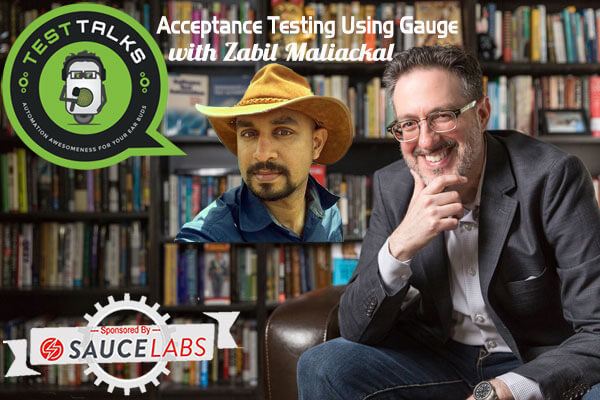
In this episode, we’ll be Test Talking with Zabil Maliackal, Gauge Product Manager at ThoughtWorks, about acceptance testing. If you're looking for an open-source automation framework that requires less code and less maintenance, and want to focus more of your efforts on the acceptance piece of testing, you don’t want to miss this episode.
Automation Testing Podcast Automation
226: Acceptance Testing Using Gauge with Zabil Maliackal

with Zabil Maliackal
October 28, 2018
Hosted by Joe Colantonio
About this episode
Quotes & Insights from this Test Talk
- The best example of adopting good practices is following the test pyramid and figuring out where to write your test and what test to write. Many times people overdo their test cases or focus a lot on functional test cases when writing test cases at the right layer matters.
- There's a nice article on Martin Fowler's blog about the different kind of tests and if you know that you have these kinds of tests that's when you know that you have a healthy test suite.
- Normally what we've seen as acceptance tests are really hard to maintain especially to read. And they run slow. And then it takes a lot of time to figure out what's wrong when your acceptance test suite fails. And so Gauge tries to solve these problems by one writing acceptance tests in a markdown so that they are readable. And when something fails you know exactly what failed and why it failed. Most importantly it does that in a way that it removes a lot of code.
- If you look at many of the literature that BDD and articles about BDD especially you know if you go to the cucumber blogs they say BDD is not about testing. And they go as far as to say BDD /Cucumber is probably the most misunderstood tool.
- Gauge has a different approach it treats acceptance testing as acceptance testing it's focused on testing it's not focused on collaboration among team members like what BDD does.
- It's kind of easy to install Gauge because it's a single binary you can you can just download the binary and unzip it and then get running with it. I do recommend that you download our plugin for Visual Studio code. Visual Studio Code is a great editor and Gauge integrates extremely well with Visual Studio code. And if you use a javascript plugin it'll be quite easy for you to get started and experiment and understand the concept of Gauge.
Connect with Zabil Maliackal
- Twitter: @getgauge
- Github: gauge.org
- Company: Gauge
- LinkedIn: zabil-cheriya-maliackal
May I Ask You For a Favor?
Thanks again for listening to the show. If it has helped you in any way, shape or form, please share it using the social media buttons you see on the page.
Additionally, reviews for the podcast on iTunes are extremely helpful and greatly appreciated! They do matter in the rankings of the show and I read each and every one of them.

Test Talks is sponsored by the fantastic folks at Sauce Labs. Try it for free today!
Keep listening
Related episodes

Automation Testing Podcast · Ep. 612
Robot Framework Test Automation: Automate Web, Desktop, Mobile, and Embedded Systems
What makes Robot Framework flexible enough to test medical devices, low code bots, monitoring systems, and embedded
Nov 17

Automation Testing Podcast · Ep. 611
Playwright at Scale: Run 500 Tests in Minutes with Oliver Stenbom
with Oliver Stenbom
Is your Playwright suite slowing you down instead of speeding you up? In this episode, Oliver Stenbom,
Nov 10

Automation Testing Podcast · Ep. 610
How to Prove Your Release Is Ready When AI Writes the Code
How to Prove Your Release Is Ready When AI Writes the Code? Can you prove your software is ready to ship, or does that answer still depend on a meeting and a spreadsheet? Want to see if your team can prove a release is ready? Book a custom LoopIQ demo with Ashwin: https://testgld.link/loopiqdemo In this episode,
Nov 3

Automation Testing Podcast · Ep. 609
Why Your AI Tests Pass When Your Features Fail with Donovan Brady
with Donovan Brady
Why Your AI Tests Pass When Your Features Fail? Donovan Brady of Leapwork shows how to make
Oct 27